Collections List
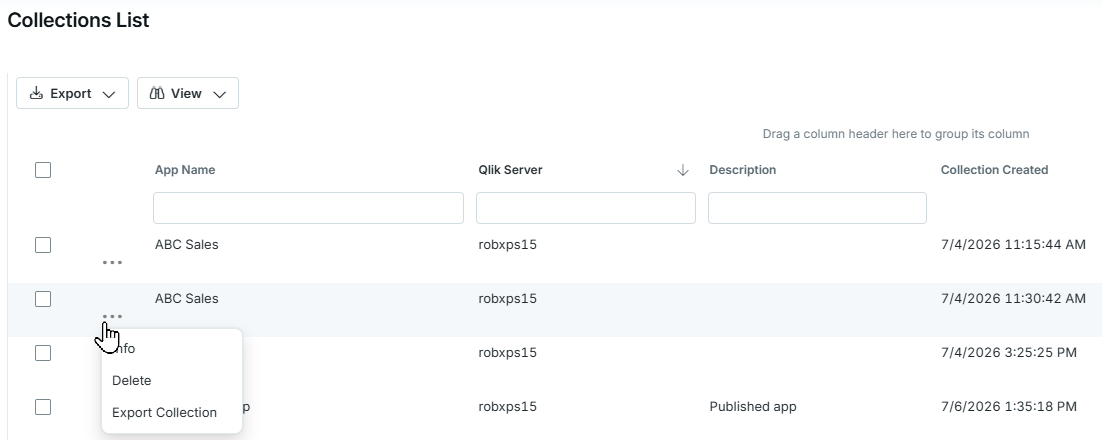
... Ellipse menu
Info: Show more information about this collection.
Delete: Permanently delete a collection from memory and the repository. This action cannot be undone.
Export Collection: Export a collection to an QSDA collection export file. The export file can be imported by the Admin -> Import function in a different QSDA installation.
Unload: Unload the analysis from memory. The collection will still be available in the repository. This item appears only when the collection is loaded.
Deleting a collection leaves its recorded analysis history available in Insights until history retention removes it. The collection data itself cannot be recovered from the history entry.
Acting on multiple collections
Use the checkbox column to select collections. When at least one collection is selected, icons appear at the top of the checkbox column:
- Delete (trash can icon): Permanently delete all selected collections. This action cannot be undone.
- Unload: Unload the selected collections that are loaded. This icon appears only when the selection includes a loaded collection.
Hover over an icon to see how many collections it affects. A message reports how many collections were deleted or unloaded, and how many failed.