Expression Decoder
Use the Expression Decoder to understand and investigate long or complex expressions.
On the Expressions page, click the "Eye" icon on any expression to open it in the Expression Decoder. The "Eye" appears when you hover the mouse pointer over the expression cell. For longer expressions, you can also click the "...more" link.

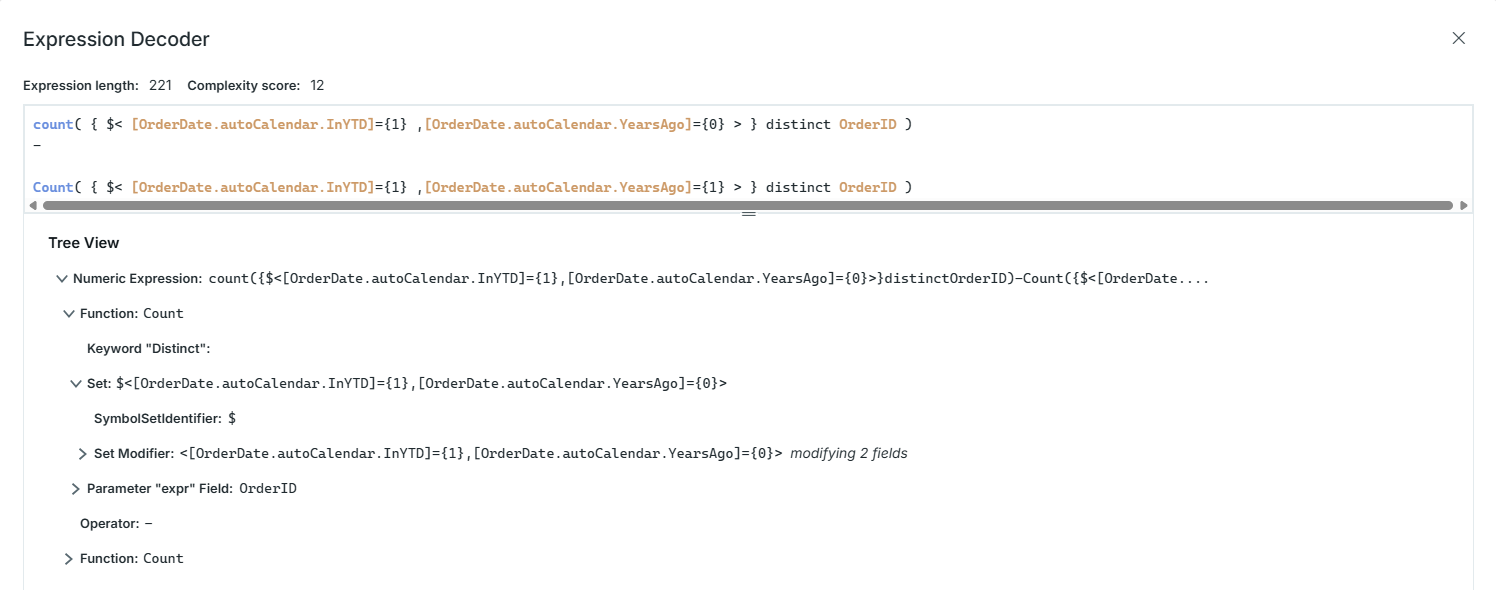
The Expression Decoder panel has two sections: an upper section displaying a colorized version of the expression text, and a lower section showing a tree view for navigation. Click an element in either section to highlight it in both sections.
The header shows the Expression length. When the decoder is opened from the Expressions page, the header also shows the Complexity score, or N/A if the expression is not scored.
When the selected element contains identifiers, a side pane beside the expression lists its Fields, Measures, Variables, and Names. Click a name to mark its occurrences in the expression text, and click it again to remove the mark. Close the pane with the "X" icon, and reopen it with the sidebar icon in the expression section.