Custom Flags
Use Settings > Flags Config > Custom Flags to generate flags for your organization's standards. When UI authentication is active, the Project Manager role is required. A custom flag definition creates findings; a Flag Rule changes the level of findings that already match a flag type or item.

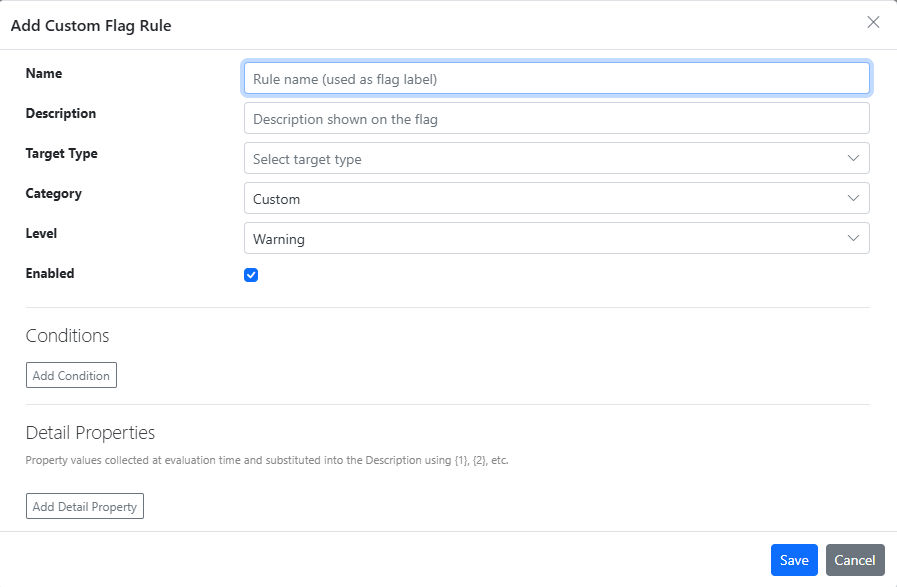
Choose Add Rule, or select an existing definition and choose Edit Rule or Delete Rule.
Definition fields
| Field | Purpose |
|---|---|
| Name | Label displayed on generated flags. |
| Description | Text describing the finding. Detail Properties can supply values using {1}, {2}, and so on. |
| Target Type | Metadata category to evaluate: Application, Bookmark, Field, Lineage, Master Dimension, Master Measure, Script, Sheet, Table, Table Field, Variable, or Viz Object. Available properties depend on this choice. |
| Category | Category used to group the findings; defaults to Custom. |
| Level | Default level of the generated flags: Info, Warning, Error, or Ignored; defaults to Warning. A matching Flag Rule can override it. |
| Enabled | Controls whether the definition participates in analysis. |
| Conditions | Property comparisons that must match. Use And/Or connectors between conditions. Empty-value operators do not require a comparison value. |
| Detail Properties | Ordered list of property values substituted into the description at evaluation time. The first is {1}, the second {2}. |
Conditions
The comparison choices are Equals / NotEquals, LessThan / GreaterThan / LessThanOrEqual / GreaterThanOrEqual, Contains / StartsWith / EndsWith and their Not variants, and IsEmpty / NotIsEmpty. Select a property to see the relevant input; empty-value comparisons do not use a value.
The property list also offers app-level properties (App Owner, App Published, App Space or Stream, and App Tags) for every target type. These evaluate the app that contains the item.
Operator behavior depends on the property type:
- True/false properties support only Equals and NotEquals; other operators do not match.
- Numeric properties: Contains, StartsWith, EndsWith, and their Not variants never match.
- Enumerated properties: enter a value name (case is ignored). LessThan and GreaterThan compare by the value's position in the list of names.
- Text properties: comparisons ignore case. LessThan and GreaterThan compare text alphabetically.
- A property with no value matches only Equals with a blank comparison value, or IsEmpty.
And is evaluated before Or when conditions are combined: A Or B And C means A Or (B And C). Review the generated findings after changing a definition to confirm that the conditions implement your intended policy.
Saving requires a Name, a Target Type, and at least one condition. Each condition needs a property and, except for IsEmpty and NotIsEmpty, a value.
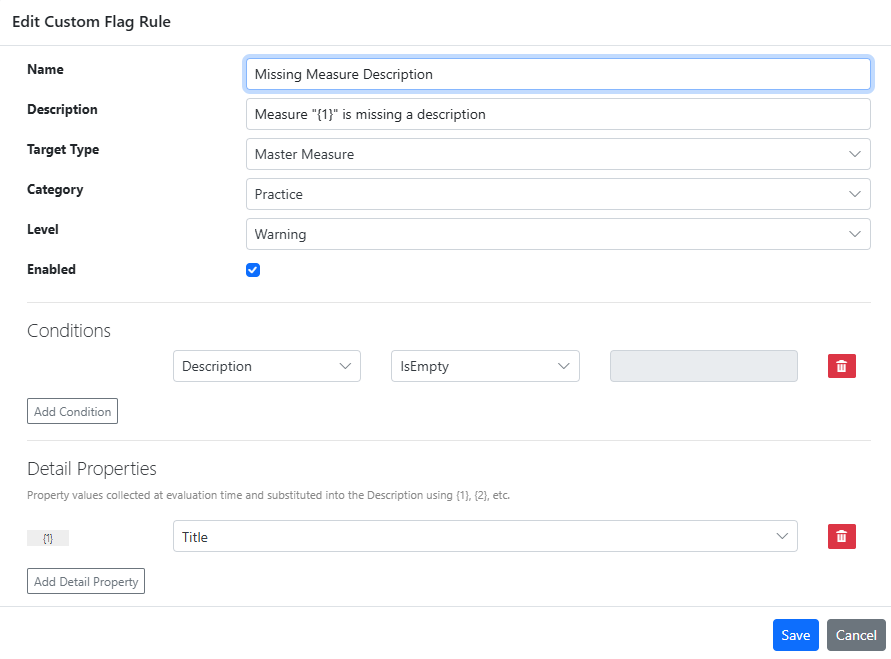
Example: require a master-measure description
- Add a definition named Master Measure needs description.
- Select the Master Measure target type.
- Add a condition that checks whether Description is empty.
- Set the category and severity appropriate to your standards, enable the definition, and save it.
- Load or collect an app again to evaluate the definition and inspect the resulting flags.